
Pedigree Relationship Matrices and Matrix-Free Products in R
Sheng Luan
2026-09-23
Source:vignettes/relationship-matrix.Rmd
relationship-matrix.RmdvisPedigree supports pedigree relationship matrix
computation in R through two complementary workflows:
pedmat() constructs explicit additive, dominance, and
epistatic matrices, while pedprod() applies
or
matrix-free to vectors and matrices for large pedigrees. This vignette
also covers matrix inspection, compact full-sib representations, and
relationship heatmaps.
-
Calculating Relationship Matrices with
pedmat()
1.1 Supported Methods
1.2 Basic Usage
1.3 Sparse Matrix Representation
-
Matrix-Free Products with pedprod()
2.1 When to Use pedprod vs pedmat
2.2 Basic Usage — (vector)
2.3 Products with
2.4 Multiple Contribution Schemes —
2.5 Practical Use Cases
2.6 Performance and Scalability
-
Inspecting the Matrix
3.1 Summary Statistics
3.2 Querying Specific Relationships
-
Compact Mode for Large Pedigrees
4.1 Using compact = TRUE
4.2 Expanding and Querying Compacted Matrices
4.3 When to Use Compact Mode
-
Visualizing Relationship Matrices with
vismat()
5.1 Relationship Heatmaps
5.2 Inbreeding and Kinship Histograms
- Performance Considerations
Relationship matrices are fundamental tools in quantitative genetics and animal breeding. They quantify genetic similarity due to shared ancestry, which is essential for estimating breeding values (BLUP) and managing genetic diversity. Explicit matrices support coefficient inspection and visualization; matrix-free products are preferable when an analysis only needs the action of a relationship matrix and constructing the full matrix would be too costly.
1. Calculating Relationship Matrices with pedmat()
The pedmat() function is the primary tool for
calculating relationship matrices. It supports both additive and
dominance relationship matrices, as well as their inverses. The inverse
additive relationship matrix (Ainv) follows Henderson’s
rules (Henderson, 1976), while inbreeding coefficients use the same
optimized recursive engine as inbreed(), based on
algorithms for large populations described by Meuwissen & Luo (1992)
and Sargolzaei et al. (2005).
1.1 Supported Methods
The method parameter in pedmat() determines
the type of matrix to calculate:
- “A”: Additive relationship matrix (Numerator Relationship Matrix).
- “Ainv”: Inverse of the additive relationship matrix.
- “D”: Dominance relationship matrix.
- “Dinv”: Inverse of the dominance relationship matrix.
- “AA”: Additive-by-additive (epistatic) relationship matrix.
- “AAinv”: Inverse of the epistatic relationship matrix.
-
“f”: Inbreeding coefficients vector (uses the same
optimized engine as
tidyped(..., inbreed = TRUE)).
1.2 Basic Usage
Most calculations require a pedigree tidied by
tidyped().
# Load example pedigree and tidy it
data(small_ped)
tped <- tidyped(small_ped)

# Calculate Additive Relationship Matrix (A)
mat_A <- pedmat(tped, method = "A")

# Calculate Dominance Relationship Matrix (D)
mat_D <- pedmat(tped, method = "D")

# Calculate inbreeding coefficients (f)
vec_f <- pedmat(tped, method = "f")
1.3 Sparse Matrix Representation
By default, pedmat() returns a sparse matrix (class
dsCMatrix from the Matrix package) for
relationship matrices. This is highly memory-efficient for large
pedigrees where many individuals are unrelated.
class(mat_A)
#> [1] "dgeMatrix"
#> attr(,"package")
#> [1] "Matrix"
2. Matrix-Free Products with pedprod()
For small and moderate pedigrees, matrices returned by
pedmat() are ordinary matrix-like R objects and can be used
directly with R’s %*%. For large pedigrees, however,
forming the dense additive relationship matrix can be the dominant
memory cost. pedprod() instead computes
,
,
,
or
directly from the pedigree — without ever constructing the
relationship matrix.
The implementation uses the pedigree factorization (Colleau, 2002), where is the transmission matrix and is the diagonal matrix of Mendelian sampling variances. The product is computed through backward and forward pedigree traversals in time for an right-hand side, with working memory — a fraction of the storage that a dense would require.
2.1 When to Use pedprod vs pedmat
Use pedprod() when … |
Use pedmat() when … |
|---|---|
| You only need matrix-vector products (, ) | You need individual relationship coefficients |
| The pedigree has >10 000 individuals | The pedigree is small enough that fits in memory |
| You are iterating (e.g., BLUP, OCS, MCMC) | You need the matrix for visualization or inspection |
| Memory is the bottleneck | You need , , or dominance matrices |
| You are working with products for mixed models | You need to query specific pairwise relationships |
The two functions are complementary: pedmat() gives you
the full matrix when you need to examine it; pedprod()
applies the matrix implicitly when you only need its action on
vectors.
2.2 Basic Usage — (vector)
The most common use is computing the additive relationship of every individual to a weighted group — for example, a set of selection candidates.
# Load example pedigree and tidy it
data(small_ped)
tped <- tidyped(small_ped)

# Equal contributions from two candidates; other individuals have zero weight
weights <- c(Z1 = 0.5, Z2 = 0.5)

# Relationship of every pedigree individual to the weighted candidate group
Ax <- pedprod(tped, weights)
head(Ax)
#>       A       B       F       I      J1      J2
#> 0.09375 0.09375 0.06250 0.00000 0.06250 0.12500

# Average additive relationship c' A c and average coancestry
mean_relationship <- sum(weights * Ax[names(weights)])
mean_coancestry <- mean_relationship / 2
c(mean_relationship = mean_relationship, mean_coancestry = mean_coancestry)
#> mean_relationship   mean_coancestry
#>         0.7910156         0.3955078
Named vs unnamed vectors. When x is
named, individuals not listed automatically receive value zero — you do
not need to pad the vector yourself. An unnamed vector must have exactly
one entry per pedigree individual in IndNum order:
# Named: only listed individuals get non-zero values
named_x <- c(Z1 = 0.3, Z2 = 0.4, A = 0.3)
pedprod(tped, named_x)[1:6]  # B, C, etc. are automatically zero
#>        A        B        F        I       J1       J2
#> 0.365625 0.065625 0.043750 0.000000 0.043750 0.087500

# Unnamed: must match the pedigree size
unnamed_x <- rep(1, nrow(tped))
length(pedprod(tped, unnamed_x))
#> [1] 28
Input validation catches common mistakes: duplicate or unknown IDs, missing values, and non-finite entries are all rejected with informative messages.
2.3 Products with
The inverse additive relationship matrix
is fundamental in mixed model equations (Henderson’s BLUP).
pedprod() computes
and
efficiently using Henderson’s rules without forming the
matrix:
# Ainv * vector
x <- rnorm(nrow(tped))
Ainv_x <- pedprod(tped, x, method = "Ainv")
head(Ainv_x)
#>           A           B           F           I          J1          J2
#> -2.90971042 -1.25434985 -2.89496064 -1.67763900  0.05803645  2.47858892

# Verify against explicit computation (small pedigree only)
A <- pedmat(tped, method = "A", sparse = FALSE)
Ainv <- pedmat(tped, method = "Ainv", sparse = FALSE)
all.equal(
  unname(Ainv_x),
  unname(drop(Ainv %*% x)),
  tolerance = 1e-12
)
#> [1] TRUE
For large pedigrees where explicit inversion is impossible,
pedprod(tped, x, method = "Ainv") remains computationally
feasible. The numerical equivalence with the full matrix can be verified
on a small pedigree:
2.4 Multiple Contribution Schemes —
When x is a matrix, pedprod() computes all
columns in a single backward/ forward traversal of the pedigree. This is
significantly more efficient than calling pedprod()
repeatedly for each column.
# Three ways to weight the SAME two candidates (Z1 and Z2 are full sibs)
schemes <- cbind(
  Equal      = c(Z1 = 0.5, Z2 = 0.5),
  Z1_only    = c(Z1 = 1.0, Z2 = 0.0),
  Weighted   = c(Z1 = 0.7, Z2 = 0.3)
)
AX <- pedprod(tped, schemes)

# The schemes diverge at the candidates themselves (and their descendants);
# a shared ancestor is equally related to any weighting of two full sibs.
AX[c("Z1", "Z2"), ]
#>        Equal   Z1_only  Weighted
#> Z1 0.7910156 1.0312500 0.8871094
#> Z2 0.7910156 0.5507812 0.6949219

# Expected average relationship within each contributing group, 0.5 * c'A c.
# Under random mating this equals the mean inbreeding of the resulting progeny.
group_coancestry <- 0.5 * colSums(schemes * AX[rownames(schemes), ])
round(group_coancestry, 5)
#>    Equal  Z1_only Weighted
#>  0.39551  0.51562  0.41473
The three schemes draw on the same two full sibs, yet the genetic
consequence differs sharply. Concentrating all contribution on a single
animal (Z1_only) exposes its full, partly inbred genome and
inflates the group’s expected progeny inbreeding to 0.516, whereas
spreading contribution evenly (Equal) drives it down to
0.396. Trading a little short-term gain for a lower average relationship
is exactly the balance struck by optimal contribution selection.
pedprod() supplies the underlying
evaluation for every candidate column in a single
traversal — compared to
for explicit products with a precomputed
— and never forms
itself.
2.5 Practical Use Cases
Optimal Contribution Selection (OCS)
OCS maximizes genetic gain while constraining inbreeding. The core computation repeatedly evaluates for candidate contribution vectors :
# Weighted candidate contributions
candidates <- setNames(c(0.25, 0.25, 0.25, 0.25), c("Z1", "Z2", "A", "B"))
Ac <- pedprod(tped, candidates)

# Average coancestry of the selected group: 0.5 * c' A c
c_accepted <- sum(candidates * Ac[names(candidates)]) / 2
c_accepted
#> [1] 0.1848145
With pedprod(), this evaluation is fast enough to be
embedded inside an iterative optimization loop over thousands of
candidate configurations.
Mixed Model Equations
The mixed model equations for BLUP require products and . For an design matrix , use:
# Simulated breeding values as a matrix right-hand side
set.seed(20260704)
Z_design <- cbind(
  trait1 = rnorm(nrow(tped)),
  trait2 = rnorm(nrow(tped))
)
rownames(Z_design) <- tped$Ind

# Ainv * Z in one traversal — no Ainv ever stored
Ainv_Z <- pedprod(tped, Z_design, method = "Ainv")
dim(Ainv_Z)
#> [1] 28  2
Ainv_Z[1:5, ]
#>       trait1     trait2
#> A  -2.731207 -1.7418085
#> B  -1.352460 -1.5616321
#> F   4.209353 -2.7144441
#> I  -1.330313  0.4133992
#> J1 -2.663064 -0.7030142
Founder Contribution Analysis
Isolating one founder at a time turns pedprod() into a
founder-origin decomposition: the product
(a unit vector on founder
)
returns that founder’s expected genetic contribution to every
individual. Stacking the unit vectors into a matrix decomposes the whole
population in one traversal, exposing which founders dominate the
current gene pool and which have been lost:
# One unit contribution vector per founder: column f isolates founder f
founder_ids <- tped[Gen == 1, Ind]
founder_design <- diag(length(founder_ids))
dimnames(founder_design) <- list(founder_ids, founder_ids)

# A %*% e_f is founder f's expected genetic contribution to every individual
footprint <- pedprod(tped, founder_design, method = "A")

# Founder composition of one candidate: contributions sum to one
round(footprint["Z1", ], 4)
#>      A      B      F      I     J1     J2      N      O      R
#> 0.0938 0.0938 0.0625 0.0000 0.0625 0.1250 0.5312 0.0312 0.0000

# Average founder contribution to the youngest generation, ranked
young <- tped[Gen == max(Gen), Ind]
founder_share <- sort(colMeans(footprint[young, , drop = FALSE]), decreasing = TRUE)
round(founder_share, 4)
#>      N     J2      A      B      F     J1      O      I      R
#> 0.5312 0.1250 0.0938 0.0938 0.0625 0.0625 0.0312 0.0000 0.0000
Reading across a row (footprint["Z1", ]) decomposes an
individual’s genome into founder origins that sum to one; reading down a
column isolates a single founder’s footprint across the pedigree. Here
founder N accounts for more than half of the youngest
generation, while founders I and R
have already fallen to zero — their founder genomes are lost. Such
imbalance lowers the effective number of founders and erodes genetic
diversity faster than the census size implies. Because
pedprod() never forms
,
the same decomposition scales to pedigrees with millions of individuals,
where it underpins the monitoring of founder representation and
effective population size.
2.6 Performance and Scalability
The key advantage of pedprod() is scalability. The table
below summarizes the computational cost for a pedigree with
individuals and a right-hand side with
columns:
pedmat("A") memory |
pedprod() memory |
Feasible with pedmat? |
||
|---|---|---|---|---|
| 1 | ~8 MB | ~8 KB | Yes | |
| 1 | ~800 MB | ~80 KB | Marginal | |
| 10 | ~800 MB | ~800 KB | Marginal | |
| 1 | ~80 GB | ~800 KB | No | |
| 100 | ~80 GB | ~8 MB | No | |
| 1 | ~8 TB | ~8 MB | No |
For pedigrees exceeding ~25 000 individuals,
pedmat(method = "A") will refuse to construct a dense
matrix. pedprod() has no such limit — it continues to work
as long as the pedigree and right-hand side fit in memory:
# Pedigrees beyond the dense-A guard still work with pedprod()
n <- 50000L
ids <- paste0("I", seq_len(n))
raw <- data.frame(
  Ind  = ids,
  Sire = c(NA_character_, ids[-n]),
  Dam  = NA_character_,
  stringsAsFactors = FALSE
)
tped_large <- tidyped(raw)

# pedprod works; pedmat would error
result <- pedprod(tped_large, setNames(1, tail(ids, 1)))
length(result)  # 50000
Rule of thumb: Use pedprod() whenever
the analysis only requires a matrix product. Construct
,
compact matrices, or grouped summaries only when the corresponding
matrix entries are themselves required.
3. Inspecting the Matrix
3.1 Summary Statistics
Use the summary() method to get an overview of the
calculated matrix, including size, density, and average
relationship.
3.2 Querying Specific Relationships
Instead of manually indexing the matrix, you can use
query_relationship() to retrieve coefficients by individual
IDs.
# Query relationship between Z1 and Z2
query_relationship(mat_A, "Z1", "Z2")
#> [1] 0.5507812

# Query multiple pairs
query_relationship(mat_A, c("Z1", "A"), c("Z2", "B"))
#> 2 x 2 Matrix of class "dgeMatrix"
#>           Z2       B
#> Z1 0.5507812 0.09375
#> A  0.0937500 0.00000
4. Compact Mode for Large Pedigrees
For large pedigrees with many full-sibling families (common in
aquatic breeding populations), pedmat() can merge full
siblings into representative nodes to save memory and time.
4.1 Using compact = TRUE
When compact = TRUE, the matrix is calculated for unique
representative individuals from each full-sib family.
# Calculate compacted A matrix
mat_compact <- pedmat(tped, method = "A", compact = TRUE)

# The result is a 'pedmat' object containing the compacted matrix
print(mat_compact[11:20,11:20])
#> 10 x 10 Matrix of class "dgeMatrix"
#>      D    E    P   Q     G     H     K     L     M    S
#> D 1.00 0.50 0.00 0.0 0.250 0.250 0.250 0.250 0.250 0.00
#> E 0.50 1.00 0.00 0.0 0.500 0.500 0.250 0.250 0.250 0.00
#> P 0.00 0.00 1.00 0.5 0.000 0.000 0.000 0.000 0.000 0.25
#> Q 0.00 0.00 0.50 1.0 0.000 0.000 0.000 0.000 0.000 0.50
#> G 0.25 0.50 0.00 0.0 1.000 0.500 0.125 0.125 0.125 0.00
#> H 0.25 0.50 0.00 0.0 0.500 1.000 0.125 0.125 0.125 0.00
#> K 0.25 0.25 0.00 0.0 0.125 0.125 1.000 0.500 0.500 0.00
#> L 0.25 0.25 0.00 0.0 0.125 0.125 0.500 1.000 0.500 0.00
#> M 0.25 0.25 0.00 0.0 0.125 0.125 0.500 0.500 1.000 0.00
#> S 0.00 0.00 0.25 0.5 0.000 0.000 0.000 0.000 0.000 1.00
4.2 Expanding and Querying Compacted Matrices
If you need the full matrix after a compact calculation, use
expand_pedmat(). For retrieving specific values,
query_relationship() handles both standard and compact
objects transparently.
# Expand to full 28x28 matrix
mat_full <- expand_pedmat(mat_compact)
dim(mat_full)
#> [1] 28 28

# Query still works the same way
query_relationship(mat_compact, "Z1", "Z2")
#> [1] 0.5507812
4.3 When to Use Compact Mode
Compact mode is highly recommended for:
- Large Pedigrees: More than 5,000 individuals with substantial full-sibling groups.
- High-fecundity species: Such as aquatic animals or plants, where families often have hundreds or thousands of offspring.
- Memory-limited environments: When the full matrix exceeds available RAM.
| Pedigree Size | Full-Sib Proportion | Recommended Mode |
|---|---|---|
| < 1,000 | Any | Standard |
| > 5,000 | < 20% | Standard / Compact |
| > 5,000 | > 20% | Compact |
5. Visualizing Relationship Matrices with vismat()
Visualization helps in understanding population structure, detecting family clusters, and checking the distribution of genetic relationships.
5.1 Relationship Heatmaps
The "heatmap" type (default) uses a Nature Genetics
style color palette (White–Orange–Red) to display relationships. Rows
and columns are reordered by hierarchical clustering (Ward.D2) by
default, bringing closely related individuals into contiguous blocks —
full-sibs cluster tightly because they share nearly identical
relationship profiles with the rest of the population.
# Heatmap of the A matrix (with default clustering reorder)
vismat(mat_A, labelcex = 0.5)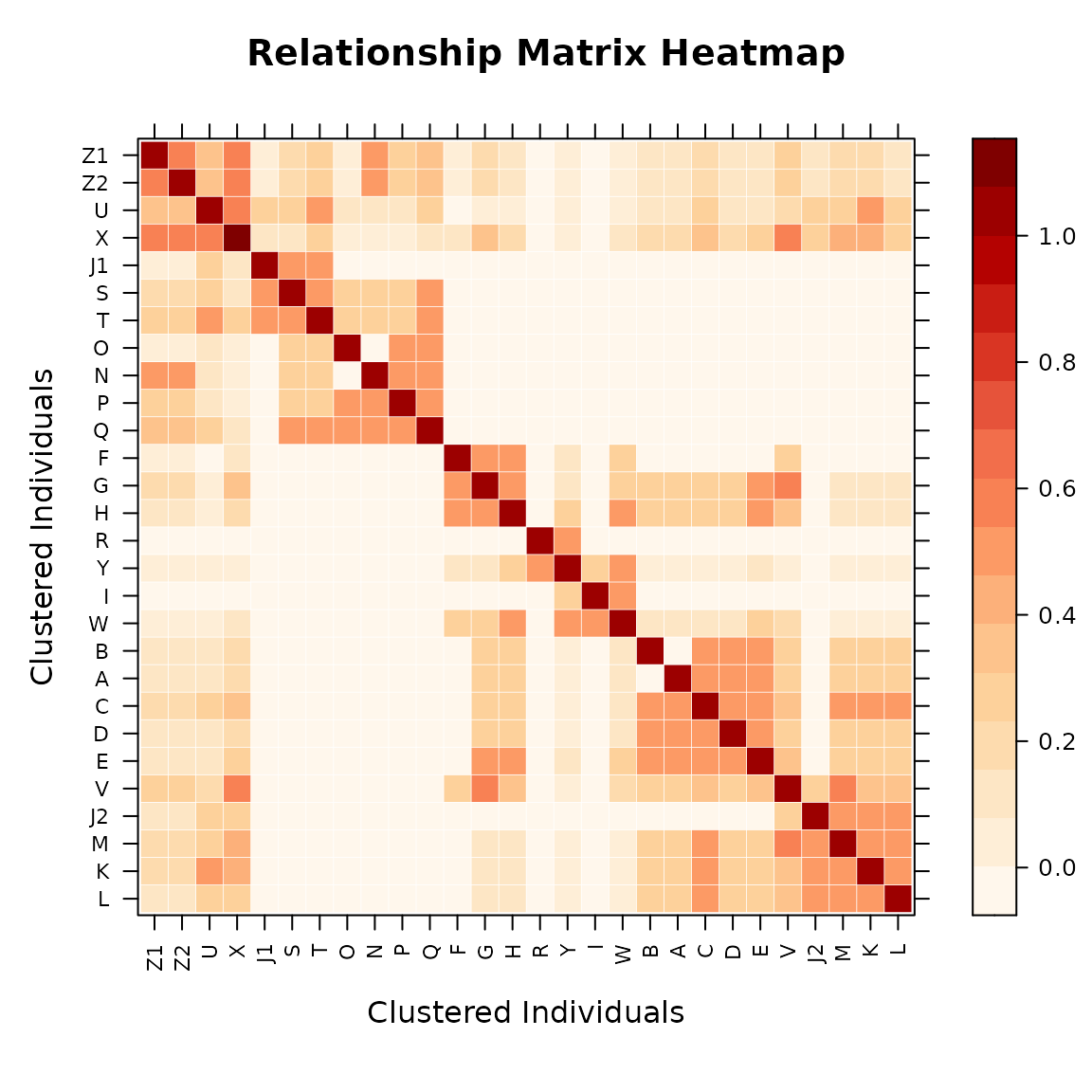
Compact Matrix — Direct Visualization
A compact pedmat object can be passed directly to
vismat(). It is automatically expanded to full dimensions
before rendering.
# Compact matrix: expanded automatically (message printed)
vismat(mat_compact,labelcex=0.5)
#> Expanding compact matrix (27 -> 28 individuals) for visualization.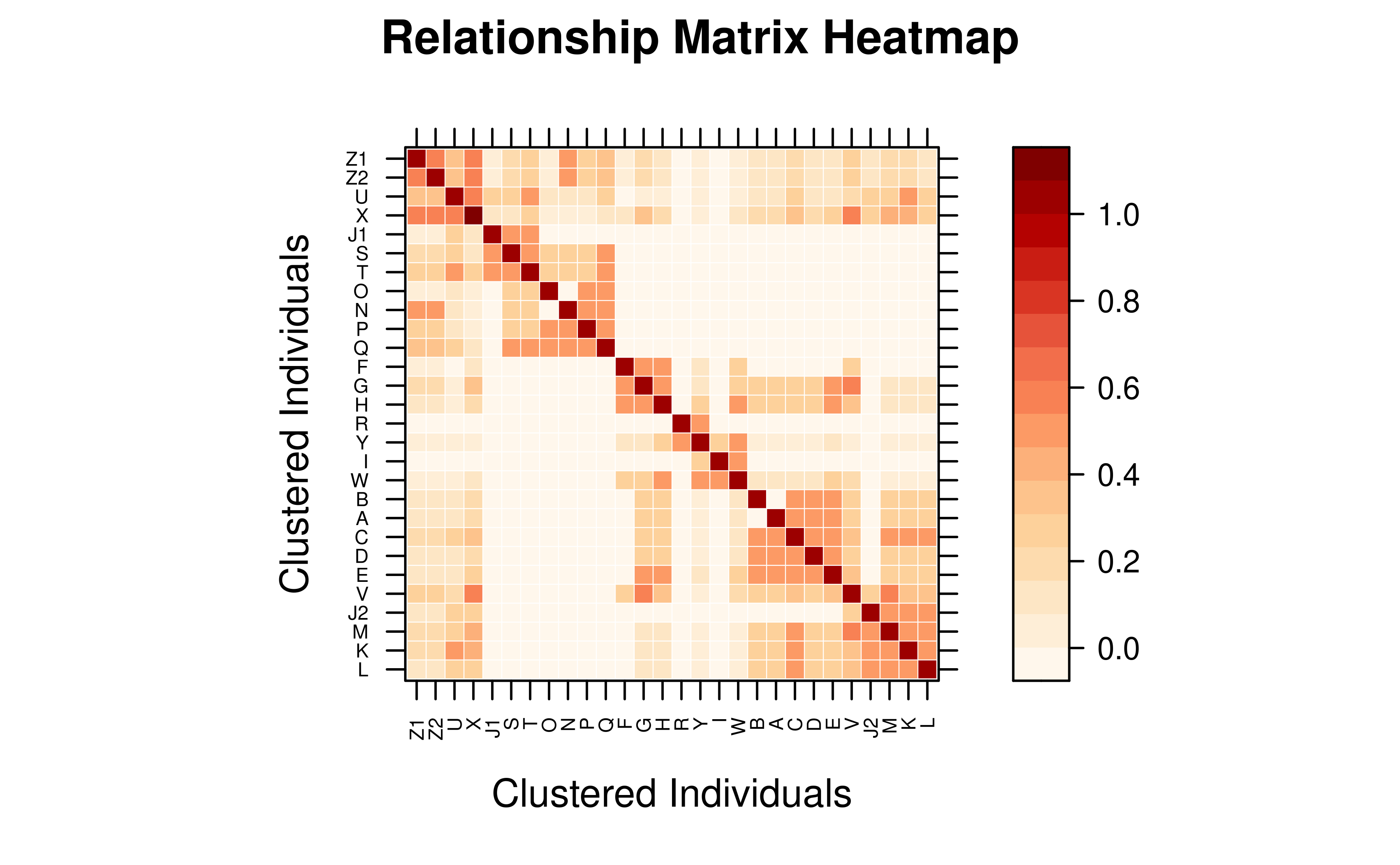
Preserve Pedigree Order
Set reorder = FALSE to keep the original pedigree order
instead of re-sorting by clustering.
vismat(mat_A, reorder = FALSE, labelcex = 0.5)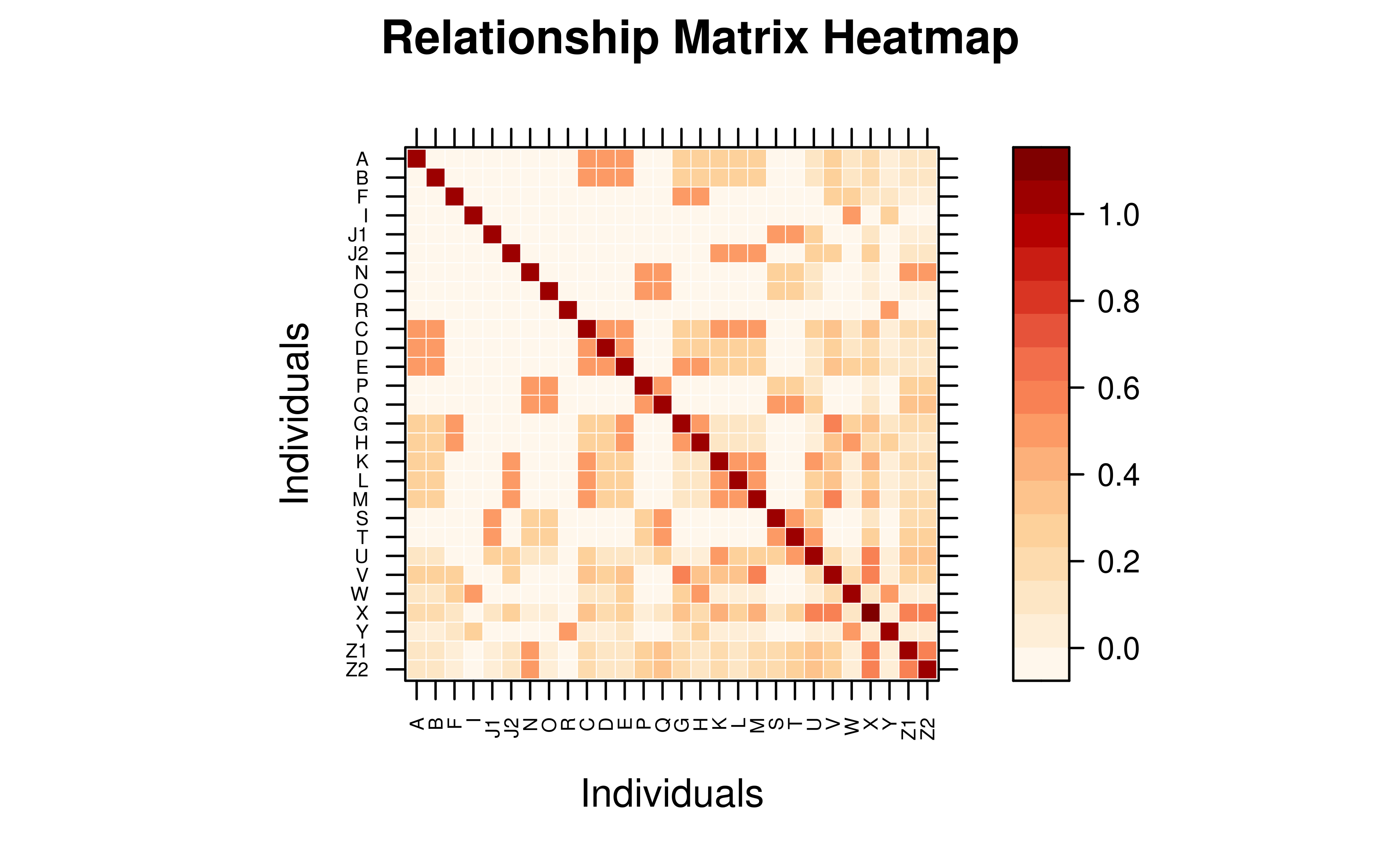
Display a Subset of Individuals
Use ids to focus on specific individuals.
target_ids <- rownames(as.matrix(mat_A))[1:8]
vismat(mat_A, ids = target_ids,
       main = "Relationship Heatmap — First 8 Individuals")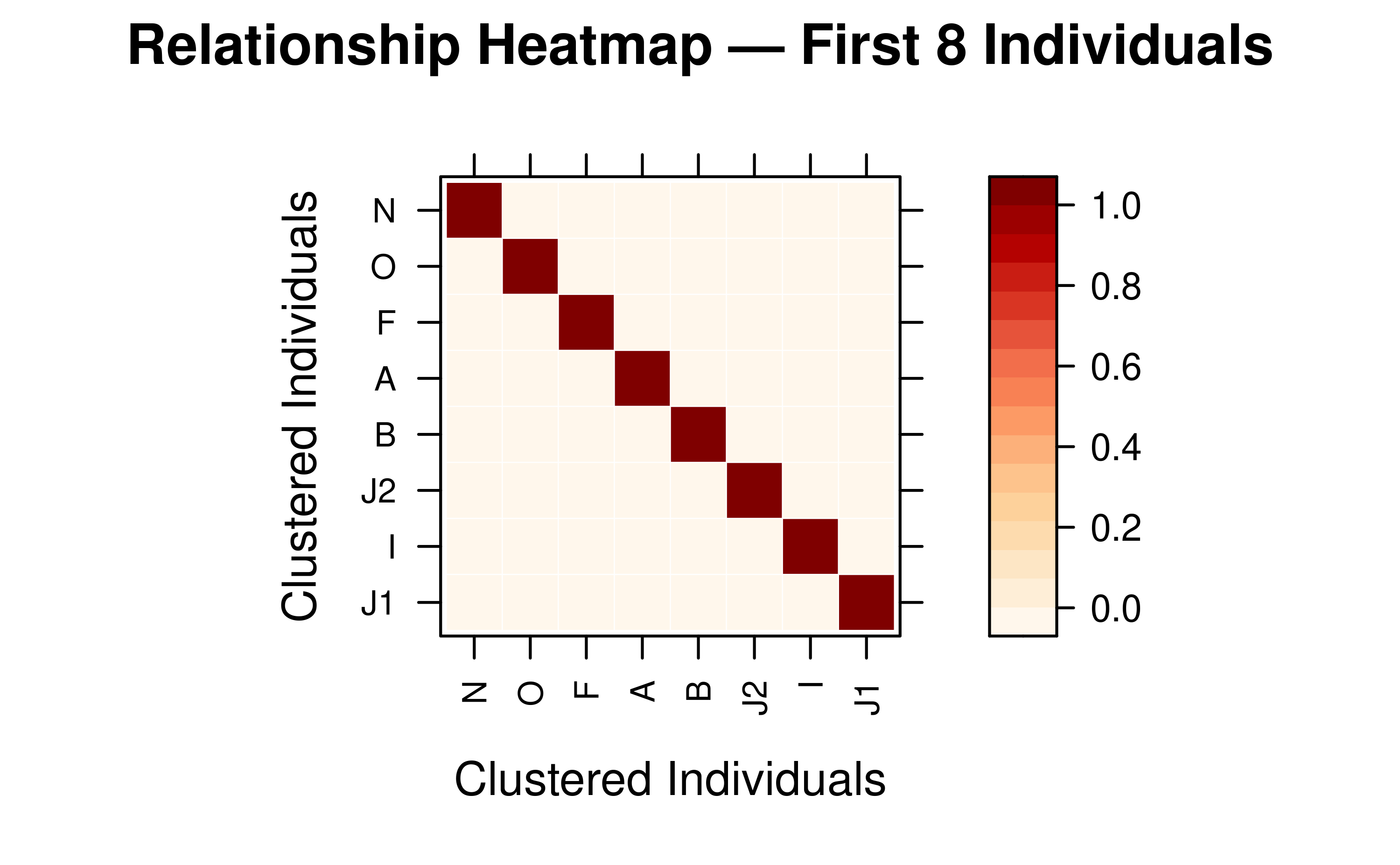
Grouping by Pedigree Column
For large populations, aggregate relationships to a group-level view
using the by parameter. The matrix is reduced to mean
coefficients between groups.
# Mean relationship between generations
vismat(mat_A, ped = tped, by = "Gen",
       main = "Mean Relationship Between Generations")
#> Aggregating 28 individuals into 6 groups based on 'Gen'...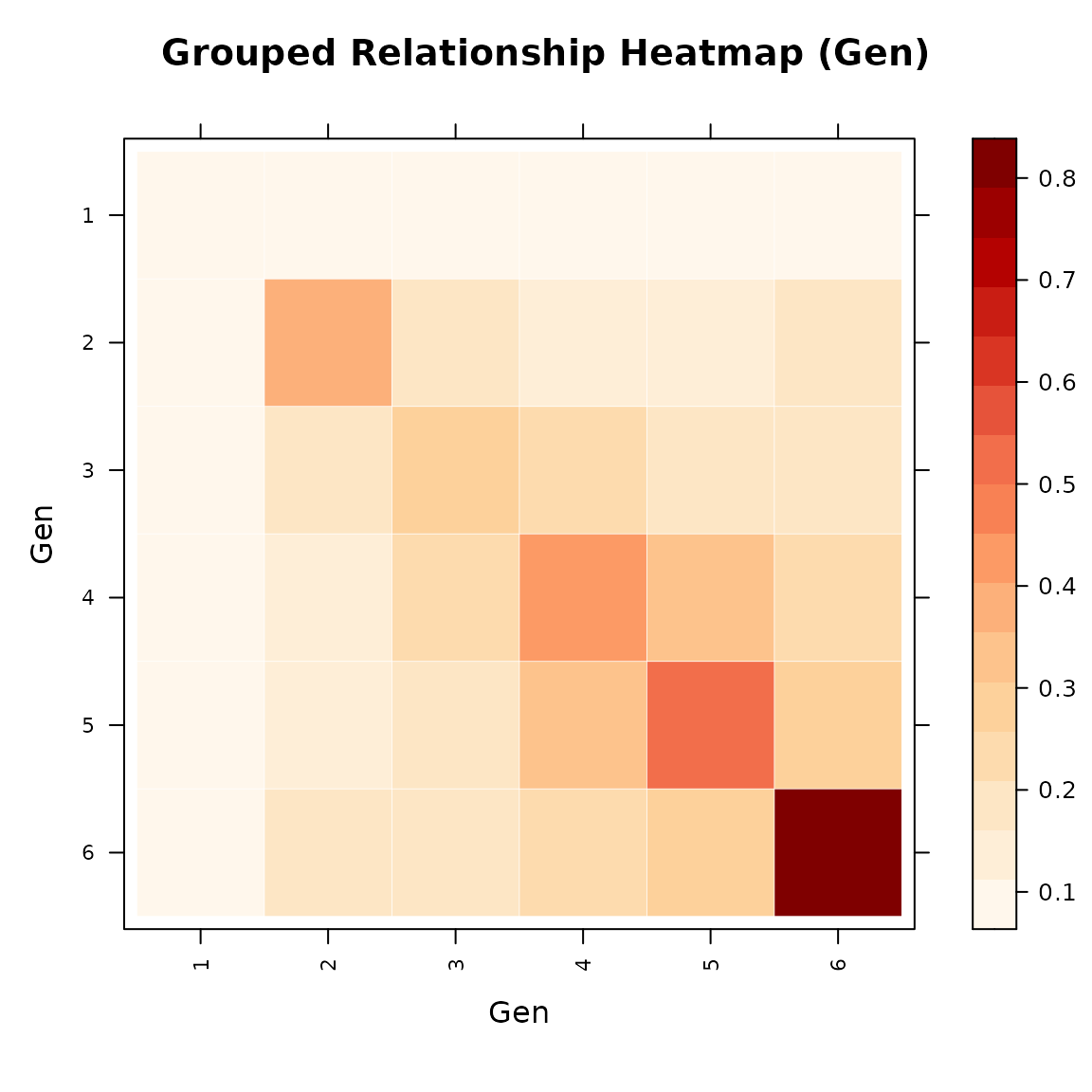
# Mean relationship between full-sib families
# (founders without a family assignment are excluded automatically)
vismat(mat_A, ped = tped, by = "Family",
       main = "Mean Relationship Between Full-Sib Families")
#> Note: Excluding 9 founder(s) with no family assignment: J1, O, N, F, R (and 4 more)
#> Aggregating 19 individuals into 11 groups based on 'Family'...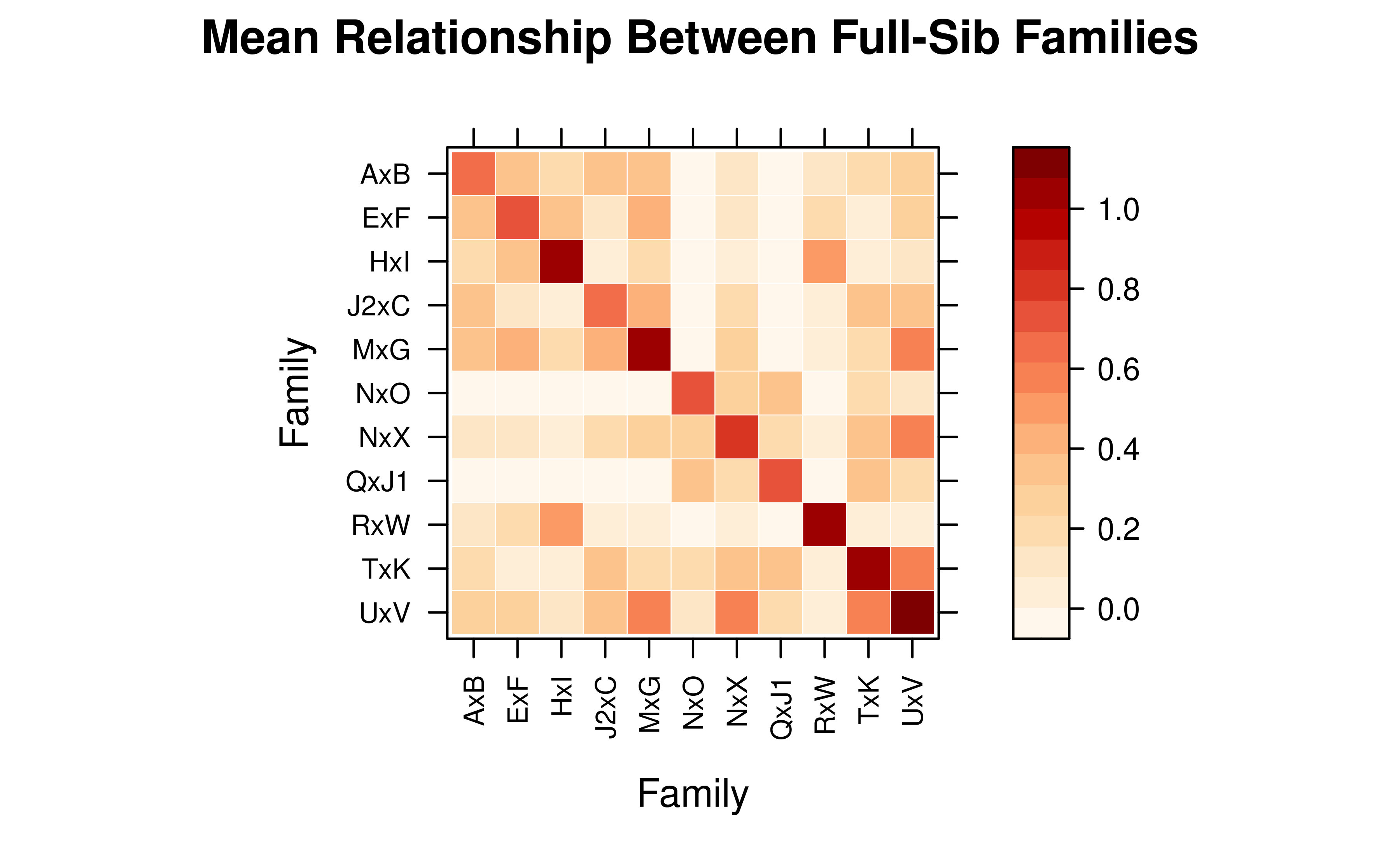
5.2 Inbreeding and Kinship Histograms
The “histogram” type displays the distribution of relationship coefficients (lower triangle) or inbreeding coefficients.
# Distribution of relationship coefficients
vismat(mat_A, type = "histogram")
6. Performance Considerations
Calculation and visualization of large matrices can be
resource-intensive. vismat() applies the following
automatic optimizations:
| Condition | Behavior |
|---|---|
Compact + by
|
Group means are computed directly from the compact matrix (no full expansion) |
Compact, no by, N > 5 000 |
Uses compact representative view (labels show
ID (×n)) |
Compact, no by, N ≤ 5 000 |
Matrix is automatically expanded via
expand_pedmat()
|
| N > 2 000 | Hierarchical clustering (reorder) is automatically skipped |
| N > 500 | Individual labels are automatically hidden |
| N > 100 | Grid lines are automatically hidden |
When a compact pedmat is used with by,
vismat() computes the group-level mean relationship matrix
algebraically from the K×K compact matrix, including a sibling
off-diagonal correction. This avoids expanding to the full N×N matrix,
making family-level or generation-level visualization feasible even for
pedigrees with hundreds of thousands of individuals.
The example below uses big_family_size_ped (178 431
individuals, compact to 2 626) and displays the mean additive
relationship among all full-sib families in the latest
generation — a computation that would be infeasible with full
expansion.
data(big_family_size_ped)

tp_big <- tidyped(big_family_size_ped)
last_gen <- max(tp_big$Gen, na.rm = TRUE)

# Compute the compact A matrix for the entire pedigree
mat_big_compact <- pedmat(tp_big, method = "A", compact = TRUE)

# Focus on all individuals in the last generation that belong to a family
ids_last_gen <- tp_big[Gen == last_gen & !is.na(Family), Ind]

# vismat() aggregates directly from the compact matrix — no expansion needed
vismat(
       mat_big_compact,
       ped = tp_big,
       ids = ids_last_gen,
       by = "Family",
       labelcex = 0.3,
       main = paste("Mean Relationship Between All Families in Generation", last_gen)
)
#> Aggregating 37009 individuals into 106 groups based on 'Family'...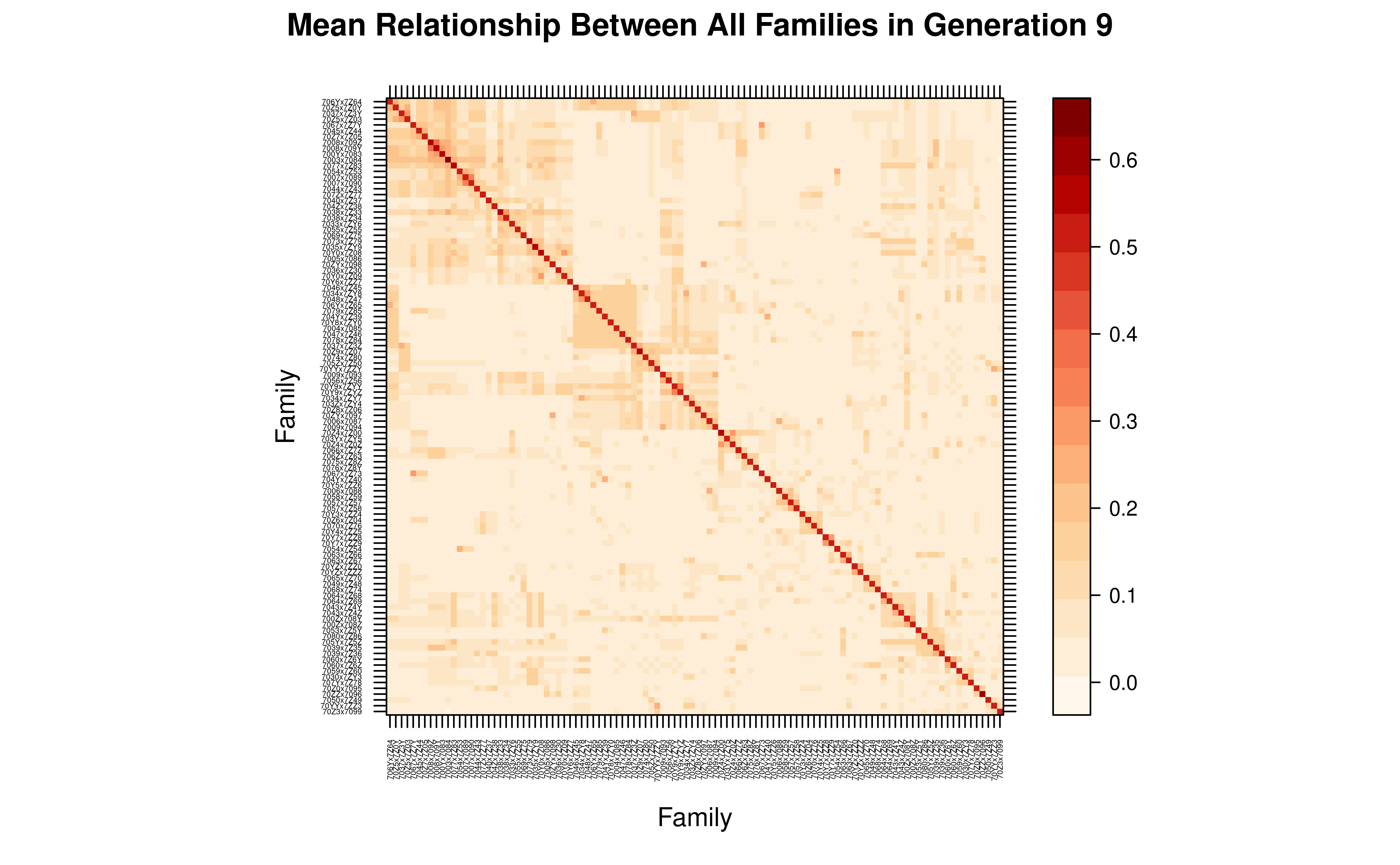
This family-level view reveals the genetic structure among all 106 families comprising 37009 individuals, computed in seconds from the compact matrix.
See Also: -
vignette("tidy-pedigree", package = "visPedigree") -
vignette("draw-pedigree", package = "visPedigree")
References
- Colleau, J. J. (2002). An indirect approach to the extensive calculation of relationship coefficients. Genetics Selection Evolution, 34, 409-421.
- Henderson, C. R. (1976). A simple method for computing the inverse of a numerator relationship matrix used in prediction of breeding values. Biometrics, 32(1), 69-83.
- Meuwissen, T. H. E., & Luo, Z. (1992). Computing inbreeding coefficients in large populations. Genetics Selection Evolution, 24, 305-313.
- Sargolzaei, M., Iwaisaki, H., & Colleau, J.-J. (2005). A fast algorithm for computing inbreeding coefficients in large populations. Journal of Animal Breeding and Genetics, 122, 325-331.